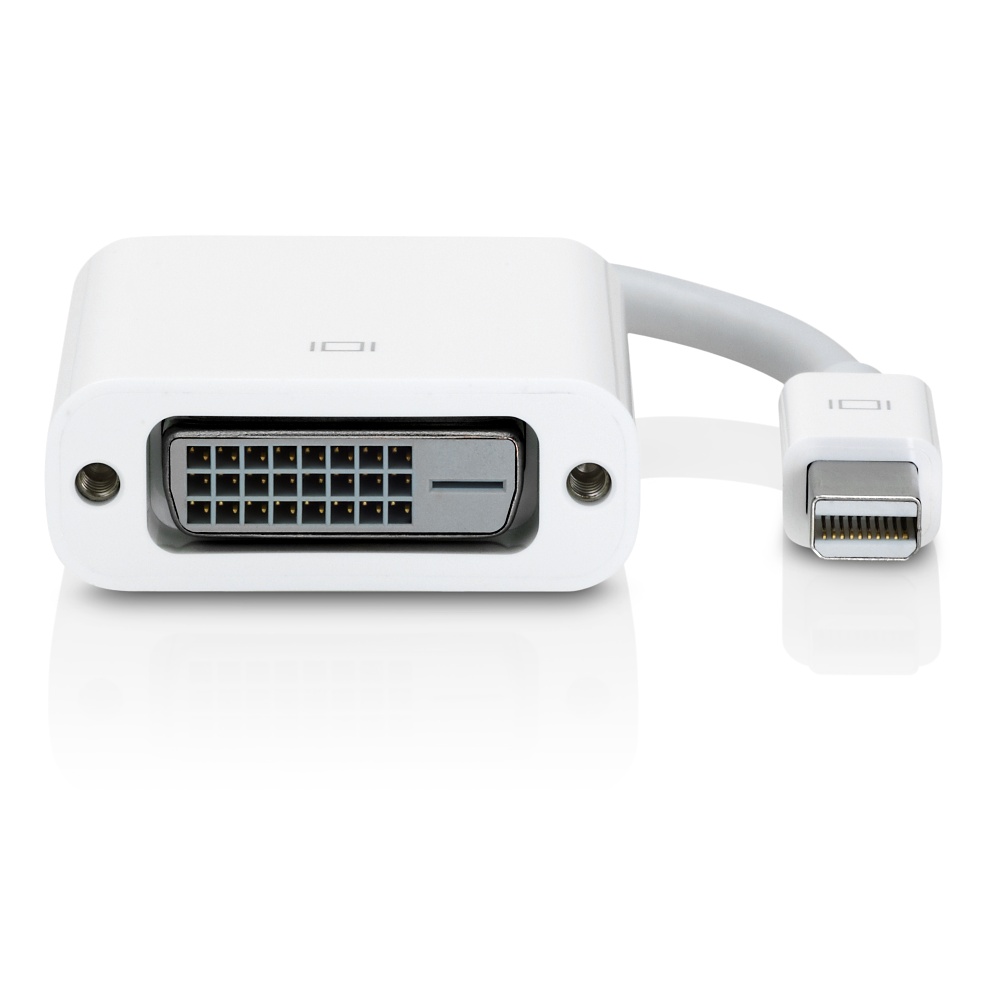
Mini DisplayPort/Thunderbolt to DVI Adapter
- Ingersoll, Ryan
- Keithley, Amanda
- Former user (Deleted)
- Former user (Deleted)
Owned by Ingersoll, Ryan
Last updated: Apr 27, 2020 by Keithley, Amanda
| Item | Qty | Details | Checkout Policy |
|---|---|---|---|
| Mini DisplayPort/Thunderbolt to DVI Adapter | 1 | Supports MacBook Pros, Airs, and other Mini DisplayPort equipment to digitally send video via DVI to another screen (no audio) | 3-days |
ABOUT
- The Mini DisplayPort to DVI Adapter connects to a standard digital screen or projector with DVI to a Mac (or another Mini DisplayPort device) to send video. Supports full HD 1080p.
- The Mini DisplayPort/Thunderbolt to DVI Adapter allows you to connect your Mac computer (or another Mini DisplayPort device) to a digital external display or projector.
- Features include using external display to extend the desktop, or working in mirrored mode where the external display duplicates your computer screen.
- This adapter doesn't transmit audio. Use another cable to transmit audio (typically the 1/8-inch stereo port).
- Typically used with the latest line of Apple's MacBook Pros and Airs.
- Manufacturer Info
Step-by-step guide
- Connect the DVI cable from the display to the adapter.
- Turn on the display
- With your device on, connect the Mini DisplayPort connector to your device
- The display should either mirror or extend your computer
- Use Display in Systems Preferences (Mac) or Screen Resolution in Control Panel (Windows) to adjust settings
Questions or Assistance?
Contact the Library Front Desk which is located on the Main Level of the Ames Library at Seattle Pacific University.
206-281-2228 | circ@spu.edu | spu.edu/library
, multiple selections available, Use left or right arrow keys to navigate selected items