Basic Accessibility Guidelines for Emails
- Former user (Deleted)
Remove text from images - Text embedded into an image may not be seen by email recipients. Information should be typed out as text in your email client (e.g., Outlook) and separated from images.
Avoid including important text inside graphics Instead, separate copy from images 
 You're invited!
 Come help us celebrate
Henry's 5th birthday!Saturday, March 19,
2016 at 2:00Text size & typeface - Text should be at least 14pt in size. Select a typeface that is easy to read and not too condensed.
Avoid fonts that
may be difficult to readInstead, choose a typeface that is
simple and at least 14pt in size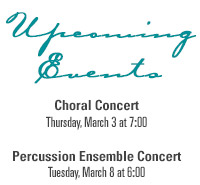
Upcoming EventsChoral Concert
Thursday, March 3 at 7:00Percussion Ensemble Concert
Tuesday, March 8 at 6:00
Text & background colors - Select colors with high contrast to make the text stand out from the background.
Avoid background colors
that make the text difficult to readInstead, select colors with
high contrastUpcoming Events
Choral Concert
Thursday, March 3 at 7:00Percussion Ensemble Concert
Tuesday, March 8 at 6:00Upcoming Events
Choral Concert
Thursday, March 3 at 7:00Percussion Ensemble Concert
Tuesday, March 8 at 6:00Meaningful link text - Link words that explains what the link offers and conveys information even when read out of context. Avoid using “click here” or “learn more”.
Avoid linking "click here" and "learn more" Instead, link words that are meaningful even when read out of context To receive the best possible financial aid offer, submit your FAFSA online as soon as possible after January 1 of each year you will attend SPU. Learn more. To receive the best possible financial aid offer, submit your FAFSA online as soon as possible after January 1 of each year you will attend SPU. Learn more
Use descriptive subject lines - Subject lines should be meaningful, descriptive, concise and should not repeat the sender name.
Avoid long, generic subject lines
that repeat the sender's nameInstead use descriptive & concise subject lines Holiday greetings from your friends at the
Seattle Pacific University Music DepartmentWinter Quarter Concert Schedule
Additional information: